CUSTOM WORDPRESS PLUGIN DEVELOPMENT
WordPress Functionality Built for Your Requirements
Sometimes the functionality your business needs simply doesn't exist in an off-the-shelf WordPress plugin.
ANTmore Technologies develops custom WordPress plugins for specialized workflows, integrations, ecommerce requirements, administrative tools, data handling, and functionality built around the way your organization actually operates.

WHEN OFF-THE-SHELF ISN'T ENOUGH
You Shouldn't Have to Reshape Your Business Around a Plugin
The WordPress plugin ecosystem is enormous, and when an established plugin solves the requirement well, using it often makes sense.
Problems begin when a business has to change its workflow simply because a plugin wasn't designed for the way that business operates.
Adding several plugins to approximate one requirement can also introduce unnecessary complexity, overlapping functionality, maintenance issues, and dependencies.
The requirement should determine the solution.
If an existing plugin solves the problem properly, use it. If it doesn't, custom development may be the cleaner approach
CUSTOM FUNCTIONALITY
Build the Functionality WordPress Doesn't Already Have
A custom plugin can extend WordPress without forcing specialized business functionality into a theme or assembling a collection of unrelated plugins.

Business Workflows
Build WordPress functionality around processes unique to the organization, rather than adapting those processes to generic software.

API Integrations
Connect WordPress with external platforms, services, applications, or data sources through APIs and other supported integration methods.

WooCommerce Extensions
Extend ecommerce behavior when products, orders, customers, pricing, workflows, or other store requirements go beyond standard WooCommerce functionality.

Custom Data & Content
Create structured content, custom fields, relationships, and data handling for information that doesn't fit standard WordPress posts and pages.

Administrative Tools
Build interfaces and functionality that make specialized WordPress tasks easier for administrators, editors, or other authorized users.

Automation
Reduce repetitive work by allowing WordPress to perform appropriate actions automatically when defined events or conditions occur.
CUSTOM DOESN'T ALWAYS MEAN BETTER
When Does a Custom Plugin Make Sense?
Custom development makes sense when the requirement is genuinely specific enough that existing solutions don't meet it well.
The functionality is strategically important
The feature is important enough to the organization that greater control over how it works is justified.
The workflow is unique
The organization operates in a way that standard plugins weren't designed to support.
Multiple systems need to communicate
WordPress needs to exchange information or trigger actions in another platform.
Existing plugins require too many compromises
The available solutions technically work, but only by changing the business process or adding unnecessary complexity.
WHEN EXISTING SOFTWARE WORKS
Not Everything Needs to Be Custom
Building custom software when a proven solution already meets the requirement can create unnecessary development and maintenance.
ANTmore starts by understanding what the functionality needs to accomplish. Existing WordPress capabilities and established plugins should be considered before custom development is recommended.
Custom code should have a reason to exist.
WORDPRESS CORE
Work with WordPress rather than unnecessarily modifying the platform itself.
HOOKS & EVENTS
Use WordPress actions, filters, and appropriate events to introduce or modify functionality.
EXTERNAL SYSTEMS
Connect functionality to APIs and outside services when the requirement extends beyond WordPress.
ADMINISTRATION
Provide appropriate controls and interfaces for the people responsible for managing the functionality.
DEVELOPMENT THAT FITS THE PLATFORM
Custom Doesn't Mean Disconnected From WordPress
A custom plugin becomes part of a larger WordPress environment. It needs to coexist with WordPress itself, the site's theme, other plugins, users, content, and any external systems involved in the project.
The goal isn't simply to make the feature work once. The implementation should make sense within the environment where it has to continue operating.
FROM REQUIREMENT TO FUNCTIONALITY
How a Custom Plugin Project Takes Shape
Custom development begins with understanding exactly what the software needs to accomplish before deciding how to implement it.
Define the Requirement
Identify the users, workflow, data, systems, rules, exceptions, and desired outcome behind the functionality.
Plan the Solution
Determine how the functionality should fit into WordPress and whether existing components can appropriately handle part of the requirement.
Develop & Integrate
Build the plugin and connect the required WordPress functionality, data, APIs, or other systems involved.
Test & Deploy
Test the functionality in context, address expected scenarios and interactions, and prepare the solution for its production environment.
CUSTOM WORDPRESS DEVELOPMENT IN PRACTICE
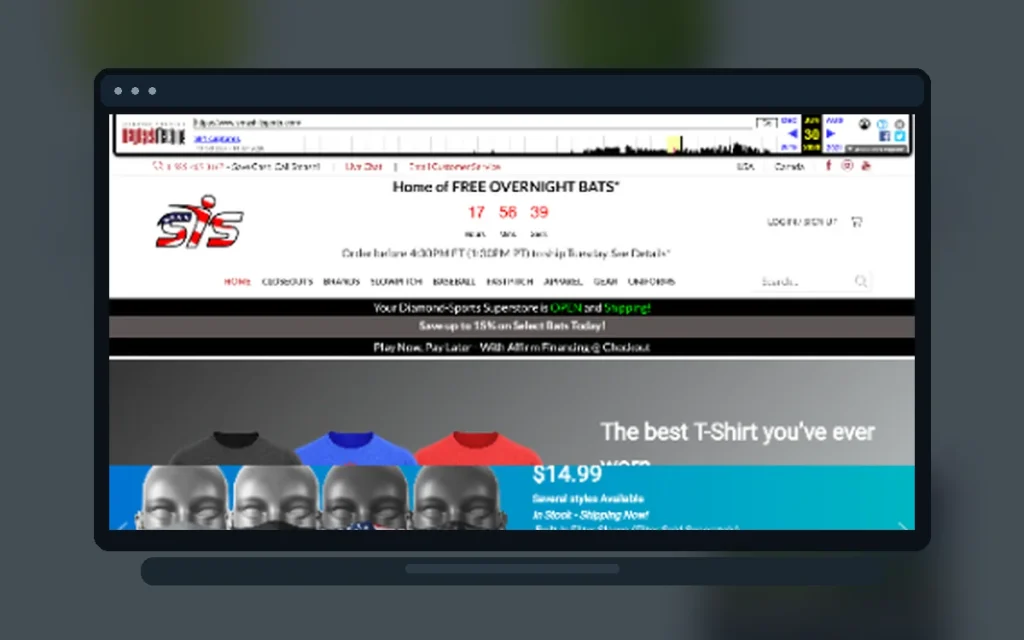
Extending WordPress & WooCommerce for Smash It Sports
ANTmore's work with Smash It Sports included developing plugins that extended WordPress and WooCommerce functionality using WordPress hooks, webhooks, and APIs.
It's an example of the role custom development can play when an ecommerce environment has requirements that extend beyond ordinary plugin configuration.
THINKING BEYOND LAUNCH
The Plugin Has to Live With the Website
Custom functionality doesn't exist in isolation. WordPress changes, other plugins change, APIs evolve, business requirements change, and websites continue to grow.
Development decisions should account for the fact that the plugin may need to be understood, maintained, extended, or adapted later.
Already have a custom plugin that needs work?
ANTmore can also investigate existing WordPress functionality, troubleshoot problems, and determine what may be required to improve or extend it.
HAVE SOMETHING WORDPRESS CAN'T DO YET?
HAVE SOMETHING WORDPRESS CAN'T DO YET?
You don't need to know whether the answer is a custom plugin, an integration, an existing solution, or something else. Start with the problem you're trying to solve.